
Vahan Portal: Check Vehicle Registration & RC Status
Your Complete Guide to parivahan.gov.in
Everything you need — RC status, DL apply, eChallan payment, road tax, BH series, vehicle transfer and more. No RTO visit required.
- 36
States & UTs - 1,300+
RTOs Online - 21 Cr+
Vehicles Registered - 80%
RTO Visits Saved
What is Vahan Portal?
If you have ever stood in a long queue at an RTO just to check a simple vehicle detail, you already know the pain. The Vahan portal was built to end exactly that. Launched by the Ministry of Road Transport and Highways (MoRTH) and developed by the National Informatics Centre (NIC), the portal runs at vahan.parivahan.gov.in and connects every Regional Transport Office (RTO) across India into one unified digital system.
Vahan 4.0 is the current, most advanced version. It stores records of over 21 crore registered vehicles nationwide and allows citizens, dealers, and transport authorities to carry out dozens of tasks entirely online — from checking vehicle registration details to paying road tax, transferring ownership, and downloading documents.
| Portal | What It Handles | Official URL |
|---|---|---|
| VAHAN | Vehicle registration, RC, taxes, permits, NOC, scrapping | vahan.parivahan.gov.in |
| SARATHI | Driving licences — learner, permanent, renewal, duplicate | sarathi.parivahan.gov.in |
| PARIVAHAN | Master portal linking VAHAN + SARATHI + eChallan + mParivahan | parivahan.gov.in |
Think of Parivahan.gov as the mother website. VAHAN handles your vehicle. SARATHI handles your driving licence. Both live under the same roof.
All Vahan Citizen Services at a Glance
The vahan citizen services cover nearly every transport-related task in India. Here is the full list, organized by category.
🚗
New Vehicle Registration
Register your car or bike through dealer portal or self-registration
📄
RC Status & Download
Check RC validity and download registration certificate
💸
Road Tax Payment
Pay pending road tax online via UPI,
card _ or net banking
🔄
Ownership Transfer
Buy or sell a used vehicle — complete transfer process online
🚦
eChallan Payment
Check and
pay traffic fines from
any city _ in India
🪪
Driving Licence
Apply for LL, PL, renewal, duplicate, and international permit
📌
Fancy Number Booking
Bid for VIP
or premium registration numbers online
🚛
Permits & Fitness
Apply for national/state permits – fitness certificate renewal
♻️
Vehicle Scrapping
Submit old vehicles at RVSFs, get certificate, deregister
📱
mParivahan App
Digital RC and DL on your phone — legally valid for traffic checks
How to Login on Vahan Portal
Accessing the vahan login is the starting point for most services. The process is quick and does not require an Aadhaar card for basic checks.
New User? Register First
- Open parivahan gov in any browser (Chrome recommended). Make sure the URL shows .gov.in — not .com, .org, or any other extension.
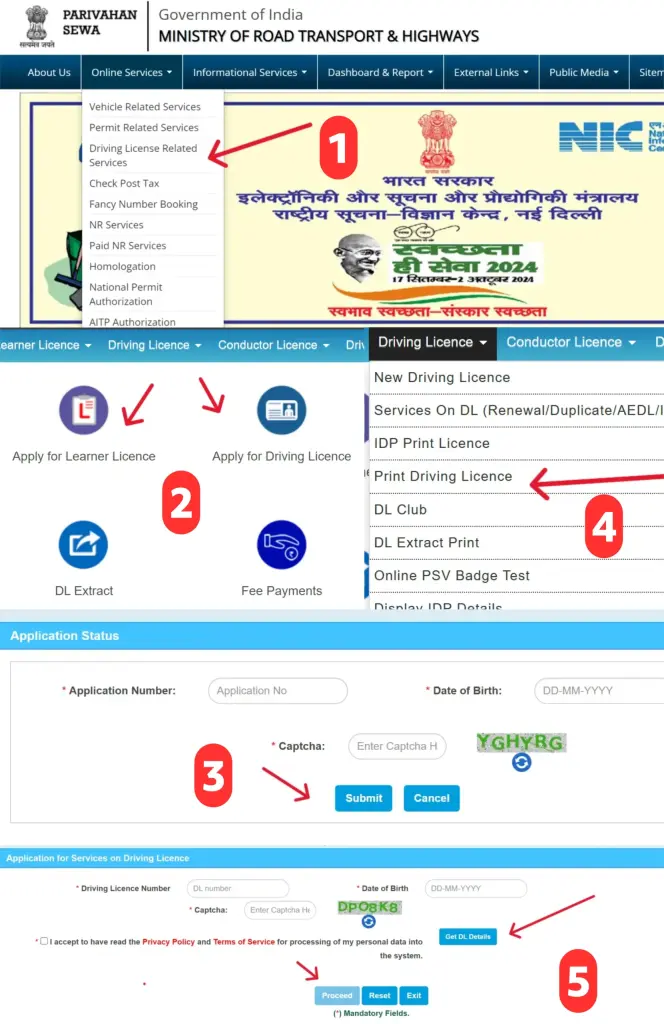
- Click Online Services in the top menu. Select Vehicle Related Services for VAHAN, or Driving Licence Related Services for SARATHI.
- Choose your state from the India map or the dropdown. This routes you to the correct RTO jurisdiction.
- Click Create Account / Register. Enter your mobile number and email address. Verify with the OTP sent to your phone.
- Set a strong password. Complete the registration. You now have a vahan citizen login that works for all services.
Already Registered? Login
- Go to the vahan 4.0 login page: vahan.parivahan.gov.in
- Click Login in the top right. Enter your registered mobile number as the User ID.
- Enter your password, solve the CAPTCHA, and click Submit.
- You land on the vahan dashboard where all your vehicle-linked applications, pending payments, and documents appear in one place.
2025 Update: You can now update your mobile number linked to RC using a QR-code-based OTP process — no RTO visit needed. This was a major pain point earlier.
RC Status Check & Vehicle Owner Search
The single most searched feature on this platform is the rc status check online. Whether you are buying a used car, verifying your own vehicle, or checking a suspicious vehicle, this is how you do it in under 60 seconds.
What You See After Searching
The parivahan vehicle details page shows the following data instantly for any vehicle registration number search:
| Detail | What It Tells You |
|---|---|
| vahan vehicle owner details | Partial owner name (privacy-protected) |
| RC Validity | When registration expires — renew before this date |
| Insurance Expiry | Active insurance is mandatory by law |
| Fitness Certificate | For commercial vehicles — shows FC expiry |
| Fuel Type | Petrol, Diesel, CNG, Electric |
| Blacklist Status | Flagged vehicles blocked for services |
| Hypothecation | Shows if a bank loan is active on the vehicle |
| PUC Status | Pollution certificate validity |
Two Faster Alternatives
- mParivahan App: Tap Add Vehicle → Enter vehicle registration details online → Instant result on your phone
- SMS Method: Send VAHAN [registration number] to 7738299899 from your registered mobile. Works without internet.
Always run a vehicle owner search before buying any used vehicle. Check for blacklist status, active loans, pending challans, and insurance gaps — all visible in one screen via vahan portal vehicle owner details.
eChallan – Check & Pay Your Traffic Fine
Missed a signal? Got caught by a speed camera? You can check and pay any vahan e services eChallan instantly without visiting a traffic court.
- Go to echallan.parivahan.gov.in or reach it via parivahan.gov.in → Online Services → eChallan
- Click Get Challan Details. Search by Challan Number, Vehicle Number, or Driving Licence Number.
- Enter your details and CAPTCHA. Your pending challans appear with date, location, violation type, and photo evidence.
- Click Pay Now. Verify with OTP. Choose payment mode — UPI, debit/credit card, or net banking.
- Wait for the payment receipt to load. Download and save it — this is your proof of payment.
Traffic Fine Reference Table
| Violation | Fine Amount | Severity |
|---|---|---|
| Drunk Driving | ₹10,000 – ₹15,000 + Jail | Critical |
| Mobile Phone While Driving | ₹5,000 | High |
| No Insurance | ₹2,000 (1st) / ₹4,000 (repeat) | High |
| No Seat Belt | ₹1,000 | Medium |
| Dangerous / Rash Driving | ₹5,000 | High |
| Triple Riding (2-wheeler) | ₹1,000 | Medium |
| No Helmet | ₹1,000 | Medium |
| Jumping Red Light | ₹1,000 – ₹5,000 | Medium |
| Juvenile Offence (parent liable) | ₹25,000 + 3 yrs imprisonment | Critical |
| No PUC Certificate | ₹10,000 | High |
Road Tax Payment Online via Vahan Portal
The vahan road tax payment option saves you from visiting your RTO and standing in queues. You need your registration number, registered mobile OTP, and a payment method.
- Visit parivahan.gov.in → Online Services → Vehicle Related Services
- Select your state → Enter your vehicle registration number → Click Proceed
- The system sends an OTP to your registered mobile. Enter it to verify your identity.
- Your pending vahan tax payment amount appears. Review it and click Pay Now.
- Pay via UPI / Debit Card / Net Banking. Download and save the payment receipt.
Important: Keep this road tax receipt permanently. You need it for RC renewal, ownership transfer, and fitness certificate renewal. Without it, these applications stay on hold.
Vehicle Ownership Transfer
Buying or selling a used vehicle? The vahan rc transfer process is fully online. But before you start, run through this pre-transfer checklist — this is where most buyers make costly mistakes.
Pre-Transfer Checklist
- Confirm vahan vehicle status — RC should be valid and not expired
- Check blacklist status — a blacklisted vehicle cannot be transferred
- Verify pending eChallan via echallan.parivahan.gov.in — clear all dues before proceeding
- Confirm insurance is active — lapsed insurance can block transfer
- Check for hypothecation — if a loan is active (Form 34), get bank NOC first (Form 35)
- Get NOC (Form 28) from the original RTO if the vehicle is from another state
Transfer Process
- Seller submits Form 29 (Notice of Transfer of Ownership) — must be done within 14 days of sale.
- Buyer submits Form 30 (Application for Transfer of Ownership) — must be done within 30 days of purchase.
- Upload documents: Original RC, valid insurance, PUC certificate, Buyer’s ID + address proof, and NOC if interstate.
- Pay transfer fee: ₹200–₹500 depending on the state and vehicle type.
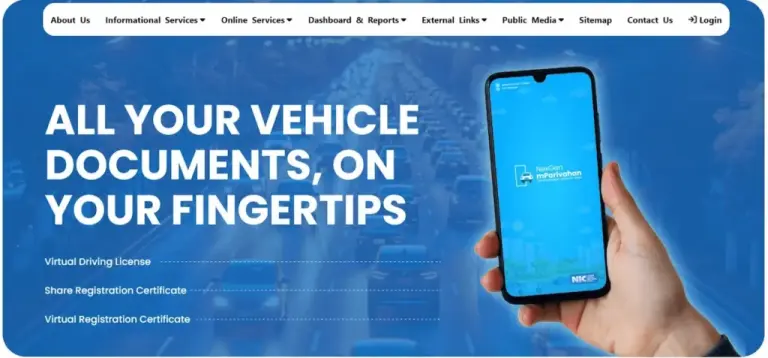
- The RTO verifies and updates the Vahan database. Check status via vahan portal application status.
Legal risk: Until the transfer reflects in the Vahan system, the previous owner bears all legal liability — including accident claims and future challans. Always verify completion online via rc details check.
Driving Licence – Apply, Renew & Download
Apply for Learner’s Licence (From Home)
- Go to sarathi.parivahan.gov.in → Select your state → Click Apply for Learner’s Licence
- Enter mobile number + CAPTCHA. Verify with OTP. Fill personal details and upload Aadhaar (serves as both age and address proof).
- Pay ₹150 online. Book your LL test slot — the test is available online from home using Aadhaar-based verification.
- Pass the 15-question test (need 60% = 9 correct). Your LL downloads the same day.
Apply for Permanent Driving Licence
- Wait 30 to 180 days after receiving your Learner’s Licence.
- Return to sarathi.parivahan.gov.in → Apply for Driving Licence → Enter LL number and date of birth.
- Upload documents — LL, medical certificate (Form 1A for those above 40 or applying for transport licence), and address proof.
- Pay ₹200, book a driving test slot at your nearest RTO.
- Pass the test → Smart Card DL gets mailed to your address within 7–15 days.
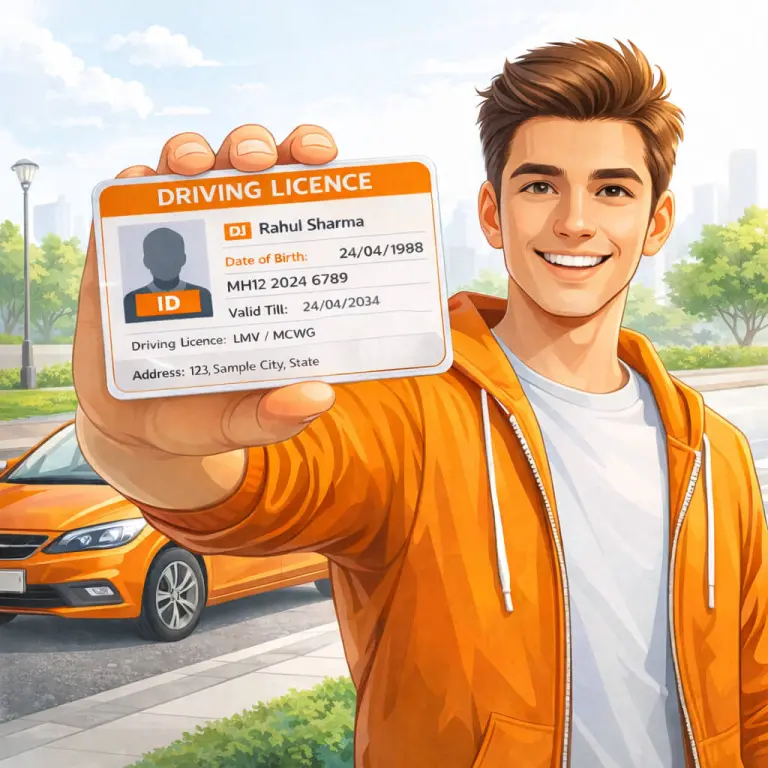
Download Your DL Instantly
BH Series Registration
If your job moves you across states every few years, the vahan vehicle registration BH series solves a major headache. Under this system, your vehicle carries a pan-India registration — no re-registration required when you relocate.
| Feature | BH Series | Regular State Registration |
|---|---|---|
| Re-registration on relocation | Not required | Required within 12 months |
| Road tax payment | Biannual (every 2 years) | Lump sum for 15 years |
| Who can apply | Govt, Defence, PSU, pvt sector (4+ state offices) | Anyone |
| Number plate format | YY BH NNNN XX | State code + district code |
| Digital RC | Pushed to DigiLocker automatically | Smart card by post |
To apply, ask your employer for a BH eligibility certificate (on company letterhead confirming offices in 4+ states). Submit this at the dealership during vehicle purchase — the dealer handles the rest via the vahan online services dealer portal. The BH number is generated by the vahan 4.0 portal algorithm and your digital RC goes straight to DigiLocker.
mParivahan App – Your Digital RC & DL
The mparivahan vahan app is the official mobile companion to the portal, developed by NIC. It turns your phone into a legally valid wallet for transport documents.
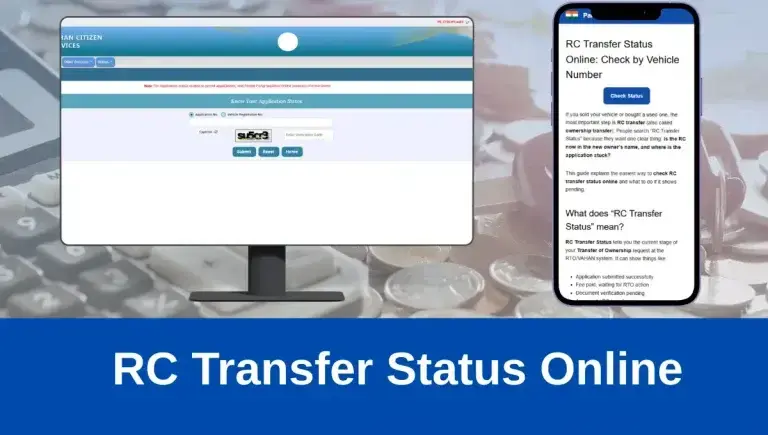
Digital RC & DL: Valid under Motor Vehicles Act 1988 — traffic police cannot insist on physical cards
Expiry Alerts: RC renewal, insurance, PUC, fitness — get notified before expiry
eChallan Check & Pay: Check pending fines and pay directly from the app
Parked Vehicle Finder: Mark your parking spot and navigate back to it
Theft Alert: NextGen 2026 feature — report and track stolen vehicles
FASTag Status: Check FASTag balance and transaction history
Download: Android → Google Play Store (search “mParivahan”). iOS → Apple App Store. It is free and available in multiple Indian languages.
Key Forms & Fee Reference Table
| Form | Purpose | Approximate Fee |
|---|---|---|
| Form 20 | New Vehicle Registration Application | ₹50 – ₹5,000 (by vehicle type) |
| Form 25 | RC Renewal | ₹300 – ₹800 (double if 15+ yrs) |
| Form 26 | Duplicate RC (lost/damaged) | ₹300 – ₹600 |
| Form 28 | No Objection Certificate (NOC) | ₹100 |
| Form 29 | Notice of Transfer — Seller | ₹200 – ₹500 |
| Form 30 | Transfer Application — Buyer | ₹200 – ₹500 |
| Form 33 | Address Change on RC | ₹25 – ₹5,000 |
| Form 34 | Hypothecation Addition (bank loan) | ₹500 – ₹1,500 |
| Form 35 | Hypothecation Termination (loan cleared) | ₹500 – ₹1,500 |
| Form 2 | DL Application / Renewal | ₹200 |
| Form 4A | Permanent DL Application | ₹200 |
| Form LLD | Duplicate DL | ₹250 |
| Form 1A | Medical Certificate for DL (40+ or transport) | Doctor fees apply |
Troubleshooting Common Vahan Portal Problems
| Problem | Why It Happens | Fix |
|---|---|---|
| Portal not loading | Peak RTO hours 10 AM – 2 PM | Try before 9 AM or after 7 PM. Clear browser cache. |
| “Details not found” error | Application not yet processed by RTO | Wait 48 hours. Check vahan application status or contact RTO. |
| Payment debited, status pending | Gateway delay | Wait 2 hours. Check “Verify Payment Status.” Do NOT repay. |
| eChallan shows but won’t pay | Session expired | Re-login and try again. Use mParivahan app as backup. |
| RC transfer not reflected | RTO processing time | Allow 7–14 business days. Escalate to helpdesk-vahan@gov.in |
| DL download error | Wrong number or DOB entered | Double-check DL number format. Retrieve via registered mobile. |
| CAPTCHA keeps failing | Browser or accessibility settings | Disable extensions. Use Chrome in incognito mode. |
Vehicle Insurance & the Vahan Connection
The online rc verification system on Vahan is directly linked to the Insurance Information Bureau (IIB) database. This is a detail that most people — and almost every competitor article completely miss.
- ANPR cameras at toll booths and traffic junctions cross-check number plates with the Vahan grid in real time. Expired insurance = instant challan.
- You cannot apply for RC renewal, ownership transfer, or road tax payment with lapsed insurance – the portal blocks the application automatically.
- A No Claim Bonus (NCB) is lost permanently if your policy lapses for more than 90 days renew before expiry.
- In accident insurance claims, the insurer pulls RC data from Vahan to cross-check details. Mismatches — wrong address, wrong engine number — can lead to claim rejection.
- For EV owners: electric vehicle insurance is a separate category now linked directly to Vahan’s EV registration module from 2025 onwards.
How to Spot Fake Parivahan Portals & SMS Scams
Scam Alert
Hundreds of fake “Parivahan” websites and WhatsApp messages circulate in India every month. They steal money and personal data. Here is how to protect yourself:
- The only official portal is parivahan — the URL must end in .gov.in
- Government portals never send payment links via SMS or WhatsApp
- Never enter your Aadhaar, debit card, or UPI PIN on any site you reached from a text message
- Fake portals often look identical to the real one — always type the URL manually
- If you receive a “your RC is cancelled” message with a link, report it to cybercrime.gov.in immediately
- Use vahan number check directly on the official portal — never a third-party app for this
Frequently Asked Questions
What is the difference between vahan parivahan and sarathi parivahan?
Vahan parivahan handles everything related to vehicles — registration, tax, permits, NOC, scrapping, and transfer. Sarathi parivahan handles everything related to driving licences — learner, permanent, renewal, duplicate, and international permit. Both operate under the main Parivahan Sewa portal at parivahan.gov.in.
How do I check vehicle owner details by registration number?
Go to vahan.parivahan.gov.in → Click “Know Your Vehicle Details” → Select your state → Enter the vehicle registration number → Solve CAPTCHA → Click Search. You will see partial owner name, RC validity, insurance status, fitness, and blacklist status instantly. No login needed for basic checks.
Is the mParivahan digital DL legally valid?
Yes. The digital driving licence on the mParivahan app and DigiLocker is legally valid under the Motor Vehicles Act, 1988 (as amended). A traffic officer cannot insist on the physical smart card if you show the digital version. However, for crossing international borders or dealing with banks, you may still need the physical card.
What is the vahan registration search fee for a duplicate RC?
A duplicate RC through vahan vehicle registration Form 26 costs between ₹300 and ₹600 depending on your state and vehicle type. You also need an FIR copy if the original RC was stolen.
Can I check vahan rc download for any vehicle?
You can only download your own RC after logging in with your registered mobile. For other vehicles, the vahan rc print option is not publicly available — only basic vehicle registration details appear for public searches to protect owner privacy.
What is VAHAN NR e-Services?
VAHAN NR e-Services (Non-Resident) refers to the set of vahan nr e services available for vehicles registered in states without full online RTO coverage, or for NRI vehicle owners. These services are accessible under the same parivahan.gov.in portal and cover most standard transactions.
How long does vehicle registration transfer take?
After submitting all documents and fees correctly, vahan vehicle information updates within 7 to 14 working days. Complex cases with interstate NOC or bank hypothecation take longer. Track progress via vahan portal rc status using your application number.